


Freebie Invoice Estimate Maker
4.8417.00 Reviews
App Specs
- Version
- 26.7.10
- Updated On
- License
- Free
- Downloads
- 100,000+
- Developer
- Simple Apps s.r.o.
- Categories
- Business
- Platform
- Android
Screenshots

 Analysis by AppCompare
When I have a client waiting for an estimate while I’m away from my desk, I want a quick way to put the numbers and details in order without turning the job into an evening of admin. That practical need is where Freebie Invoice Estimate Maker makes sense: it is a business app from Simple Apps s.r.o. for preparing invoices and estimates on the go. I see it as a handy companion for independent workers who need a presentable document quickly, rather than a replacement for a full accounting system.
Working comfortably with documents on a phone
I find that working with business documents on a phone is less about finishing everything instantly and more about choosing the right moment to do each part. I’d use a short pause to capture a clear estimate, then save the careful checking for a calmer setting if the job is complex. That distinction helps make mobile invoicing useful without expecting it to suit every screen, setting, or working style.
Readability and navigation
Upon downloading the Freebie Invoice Estimate Maker, the first thing that caught my eye was its clean and intuitive interface. You know how some apps make you feel like you need a degree in rocket science just to navigate them? Yeah, this app isn't one of them. With its straightforward design, I felt at ease right from the get-go.
That ease matters most when I’m switching between a customer conversation and a document, not when I’m leisurely exploring menus. A focused invoicing workflow can help keep attention on the essentials: who the document is for, what work it covers, and what the customer should pay. I’d still review every line before sending, especially if I’m entering figures in a hurry. A tidy interface can reduce navigation friction, but it cannot catch every business mistake for me.
The app is free to download, is rated for Everyone, and has a 4.7 average from around 5,400 ratings. It has passed 100,000 installs, which suggests it has found an audience among people looking for a mobile invoicing tool. Those numbers are useful context, not a guarantee that its workflow will suit every trade or business. I’d try it with a sample document first and see whether its way of handling my everyday jobs feels natural.
Getting a business ready for repeat work
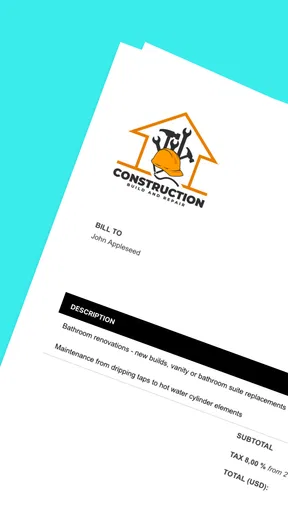
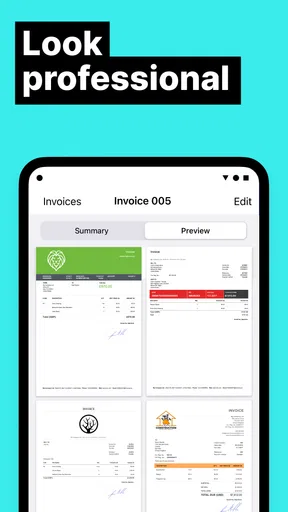
Setting up the app was a breeze. After entering my basic business details, I was ready to start creating invoices and estimates. The app allows you to customize your documents with your logo and even choose from a selection of templates. This feature gave my invoices a professional look that impressed my clients.
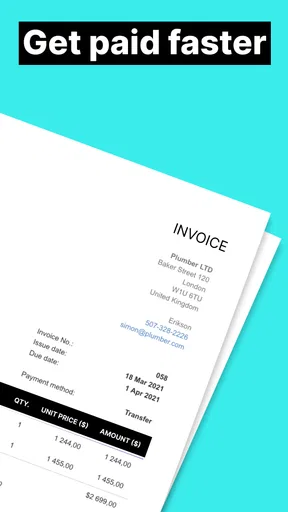
One of my favorite features is the ability to save client details. Once you’ve entered a client’s information, it’s stored for future use, saving you time on data entry. On top of that, you can add itemized lists of services or products, complete with pricing, without breaking a sweat.
Worth Reading Before You Choose

Flipboard Shows What News Apps Must Do Beyond the Feed

Switching to Android Auto Means Rethinking Your Driving Routine

Google Calendar Makes a Crowded Week Easier to Manage

Ludo King Makes the Most of the Minutes Between Plans

Baby Panda World Brings Quick Play to Modern Phones, but Its Game Library Feels Busy

ESPN’s Live Game View Makes Following Close Games Easier
Those saved details are most useful when I have repeat customers or several jobs moving at once. I can spend less time retyping a familiar client’s information and more time checking that the new estimate reflects this particular project. A practical habit is to treat each estimate as a fresh agreement: confirm the recipient, work description, and itemized amounts before sharing it, even when much of the setup is familiar. That small check helps prevent a past job’s details from being carried forward by mistake.
The app’s emphasis on making documents on the go also suits people whose workday does not happen at a desk. A sole trader finishing a site visit, a consultant between appointments, or a creative freelancer wrapping up a call may want to draft an estimate while the scope is still clear. I would use that convenience to capture the details promptly, then take a moment to proofread before sending. It is a better fit for quick, individual document tasks than for a complicated workflow involving several people and layers of approval.
Motor and sensory considerations
Mobile document creation can be useful when I need to work in short bursts, but it also puts data entry on a small screen. Entering a client name, line items, and prices requires careful tapping, and I would not assume that a simple-looking interface removes the strain of prolonged phone use. If small controls or dense forms are difficult for you, try entering a short test estimate before relying on the app for a long list of services.
There is a helpful trade-off here: saving client details can reduce repeated typing, while itemizing work can make a document clearer but may involve more input for jobs with many components. For a simple repair or a short consultation, a few clear entries may be manageable on mobile. For a large project with many billable parts, I would rather prepare the breakdown at a desk and use the phone for a quick review or follow-up. That is a workflow choice, not a claim that the app offers a particular accessibility setting.
Useful follow-through, with a few boundaries
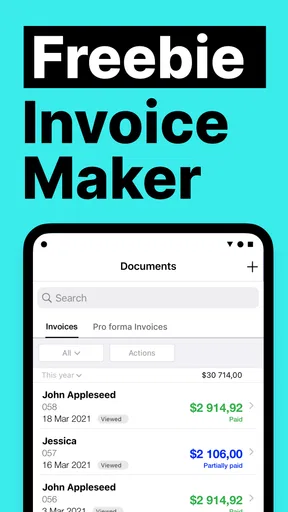
What really sets this app apart is its functionality. Let’s talk about the real-time tracking. I mean, who doesn’t love to know when their invoice has been viewed? It’s like sending a text and seeing those satisfying read receipts. This feature lets me follow up with clients confidently, knowing they have received my documents.
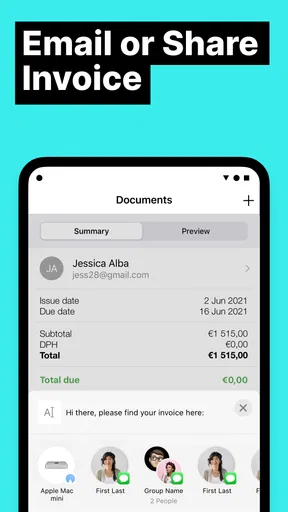
Another standout feature is the payment integration. The app supports multiple payment methods, making it easy for clients to pay directly through the invoice. This reduces the hassle of chasing payments and keeps my cash flow smooth—something every freelancer can appreciate.
In a realistic workday, I might finish a small job in the afternoon, prepare the invoice before leaving the customer’s location, and check later whether it has been viewed. If it has, I can make a more informed decision about whether a polite reminder is useful instead of sending an unnecessary message straight away. A viewed invoice is not the same as a confirmed payment, though, so I would keep my own records and check the payment status through the appropriate channel. Tracking is most valuable as a prompt for follow-up, not as a substitute for bookkeeping.
The payment options can also make the handoff simpler for clients, but I would confirm that the available methods work for the people I serve before building my whole payment process around them. Customers may have established preferences, and a mobile invoice should fit those habits rather than force a change. The app’s in-app purchases range from $5.99 to $199.99 per item, so I would check what is included at no cost and what a paid option unlocks before choosing to spend. The free starting point is useful for trying the workflow, but “free” should not be mistaken for every possible feature being included.
Situational access and alternatives
For a freelancer who works alone and mainly needs to create estimates and invoices, this is a more focused route than building documents from scratch in a spreadsheet or word processor. Those familiar tools can be flexible, but they often leave the user to maintain layouts, reuse client details, and keep a consistent document style. Freebie Invoice Estimate Maker is appealing when the job is less about designing a custom system and more about getting a clear document ready on a phone.
A dedicated desktop accounting package may be a better choice when invoicing is only one part of a larger operation, such as managing detailed books, reporting, or a team’s approval process. I would not choose this mobile app alone for a business that needs a central, comprehensive financial workflow. It is most convincing as a practical document maker for straightforward work, with tracking and payment handling adding useful follow-through.
It can also be a poor fit when the work is governed by a very specific invoice format or when each estimate needs extensive visual tailoring. The available templates and logo option help give documents a business identity, but I found myself wishing for a few more customization options. If exact control over layout is essential, a flexible desktop tool may suit you better. The trade-off is that extra flexibility usually asks you to spend more time setting up and maintaining the document process.
A few quirks
Now, I wouldn’t be doing my job if I didn’t mention a couple of things that could use a little polish. While the app is generally intuitive, there were a couple of moments where I wished for a more detailed help guide. Luckily, the support team is responsive, so any confusion didn’t last long.
Also, while the app offers some great templates, I found myself wishing for a few more customization options. But hey, that’s just the designer in me being picky.
For someone who is new to invoicing, that help-guide friction is worth considering. Before sending a real document, I’d make a low-pressure test using a familiar type of job and check that the result contains the details I expect. The app’s current version is 4.0.3 and it requires Android 7.0 or later. It was released on August 3, 2022, so anyone considering it should check that their device meets the minimum system requirement and that the current app experience works comfortably on their screen.
Access also depends on the situation. A phone is convenient when I’m on the move, but not necessarily when I’m in a noisy environment, sharing a device, or trying to enter a complicated set of figures while distracted. I would draft only what I can verify in that moment, then revisit the document somewhere calmer if the job has lots of details. That approach makes mobile convenience an option rather than a demand to complete sensitive business admin in unsuitable conditions.
Who I’d recommend it to
If you’re a freelancer or small business owner looking for a way to streamline your invoicing process, the Freebie Invoice Estimate Maker is definitely worth checking out. It’s user-friendly, packed with features, and makes the often-dreaded task of invoicing feel almost enjoyable.
Whether you’re just starting out or have a bustling business, this app can help you manage your finances with ease. Plus, the ability to track invoices and receive payments directly through the app is a huge time saver.
I’d especially suggest giving it a try if you regularly send similar estimates, work with returning clients, and want to prepare documents away from a computer. A tradesperson quoting a small repair, for example, could note the labour and materials while the job is fresh in mind, then review the estimate before sending it. A freelance designer could reuse client details while still checking that the scope and price match the current project. In both cases, the time saved comes from a repeatable workflow, not from skipping the final review.
I would steer away if you need sophisticated accounting, strict team controls, unusually detailed document branding, or a process that is difficult to operate on a phone. A spreadsheet may be preferable for someone who wants complete manual control and does not mind maintaining it; a fuller accounting product may be more suitable when invoices must connect to broader financial management. The best choice depends on whether convenience and focused document creation matter more to you than depth and customization.
My inclusive verdict
In conclusion, the Freebie Invoice Estimate Maker has made my invoicing process so much smoother and more efficient. Sure, it has room for improvement, but what app doesn’t? The features it offers far outweigh any minor hiccups, making it a solid choice for anyone looking to up their invoicing game.
So, if you’re tired of wrestling with spreadsheets or clunky software, give this app a whirl. Who knows, it might just become your new best friend in business. And trust me, once you go streamlined, you’ll never go back!
My recommendation is positive but specific: I’d use it as a convenient mobile way to prepare and follow up on ordinary invoices and estimates, while keeping a separate habit of checking figures and recording payments. Its straightforward feel and reusable client information can make routine work less fiddly, but the small-screen nature of the task, limited template flexibility, and need to understand any paid options matter. If those trade-offs match your work and your device is comfortable to use, it is a sensible tool to try; if they do not, a desktop-first or more comprehensive alternative will likely be a better fit.
Pros
- Intuitive user interface for easy navigation.
- Generates professional invoices quickly.
- Customizable templates for branding.
- Supports multiple currencies and languages.
- Syncs effortlessly with cloud storage.
Cons
- Limited features in the free version.
- Occasional app crashes on older devices.
- Lacks integration with some accounting apps.
- No offline mode available for use.
- Ads can be intrusive in the free version.
FAQs for Freebie Invoice Estimate Maker
What features does Freebie Invoice Estimate Maker offer?
Freebie Invoice Estimate Maker provides a range of features including customizable invoice templates, expense tracking, and estimates generation. Users can also enjoy client management tools, tax calculation, and financial reporting. It’s designed to streamline the invoicing process for freelancers and small businesses, ensuring efficient financial management.
Is Freebie Invoice Estimate Maker user-friendly for beginners?
Yes, Freebie Invoice Estimate Maker is designed with an intuitive interface that caters to users of all skill levels. Its simple navigation and easy-to-understand features make it accessible for beginners, allowing them to create invoices and manage finances without any prior experience or technical knowledge.
How secure is my financial data with Freebie Invoice Estimate Maker?
Your financial data is highly secure with Freebie Invoice Estimate Maker. The app uses advanced encryption technologies to protect your information from unauthorized access. Regular updates and security patches ensure that your data remains safe, providing peace of mind for users concerned about privacy and security.
Can I use Freebie Invoice Estimate Maker offline?
Freebie Invoice Estimate Maker primarily requires an internet connection for most of its features. However, certain functionalities, such as creating and saving invoices, may be available offline. It’s advisable to check the specific capabilities of the app to ensure it meets your offline needs before downloading.
Is there customer support available for Freebie Invoice Estimate Maker?
Yes, Freebie Invoice Estimate Maker offers customer support to assist users with any issues or questions they may encounter. Support is typically available via email or a help center within the app, providing guidance and troubleshooting tips to ensure a smooth user experience.


